If you're responsible for keeping track of stock, tools, or equipment, you know the frustration of not knowing what you have or where it is. Manual counts are slow and error-prone. This is where a simple, powerful tool comes in: inventory control tags.
More than just stickers, inventory control tags are the physical link between your items and your management system. They are the foundation for accurate counts, efficient audits, and insightful data. Choosing and using the right tags is a critical step for any business looking to streamline operations.
This article breaks down what you need to know about inventory control tags, from types and materials to implementation and best practices.

What Are Inventory Control Tags?
Inventory control tags are labels or tags attached to physical assets or inventory items. They carry unique identifying information, most commonly in the form of a barcode, QR code, RFID chip, or sequential number.
The primary purpose of these asset tags or inventory tags is to enable quick and accurate identification and tracking. By scanning or entering the tag data, you can instantly access all information about that item in your database. This transforms guesswork into precise management.
Types of Inventory Control Tags
Not all inventory tags are created equal. The right choice depends on your environment, budget, and tracking needs.
1. Barcode Labels:
These are the most common and cost-effective inventory control tags. Barcode scanners are inexpensive and widely used. They require a direct line of sight to scan. Perfect for general stock control in warehouses, retail shelves, and office equipment.
2. QR Code Tags:
Similar to barcodes but storing more data in a two-dimensional format. They can be scanned with most modern smartphones and tablets, offering flexibility. Great for linking to maintenance logs, instruction manuals, or detailed item histories.
3. RFID Tags:
These inventory control tags contain a microchip and antenna. They can be read from a distance without a direct line of sight, and multiple tags can be scanned simultaneously. Ideal for high-volume environments, tracking items in bulk, or for assets that are hard to reach. They represent a higher initial investment but offer superior speed.
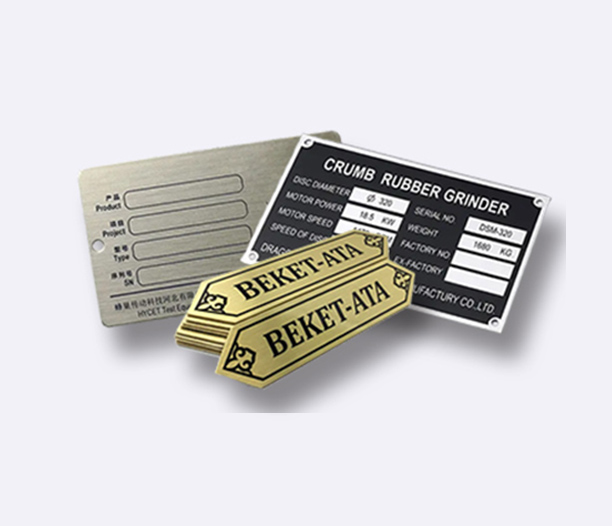
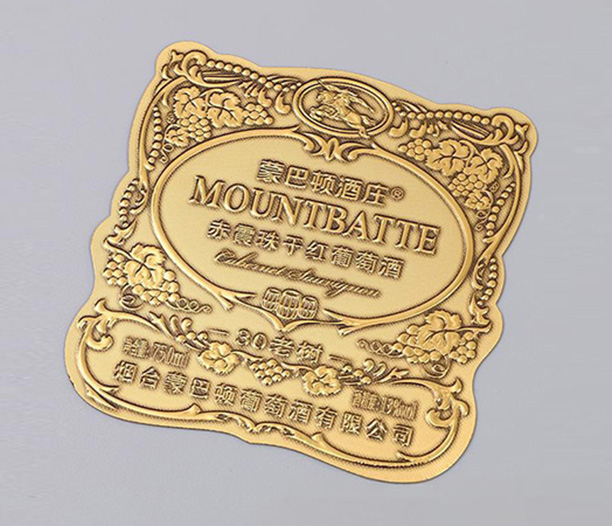
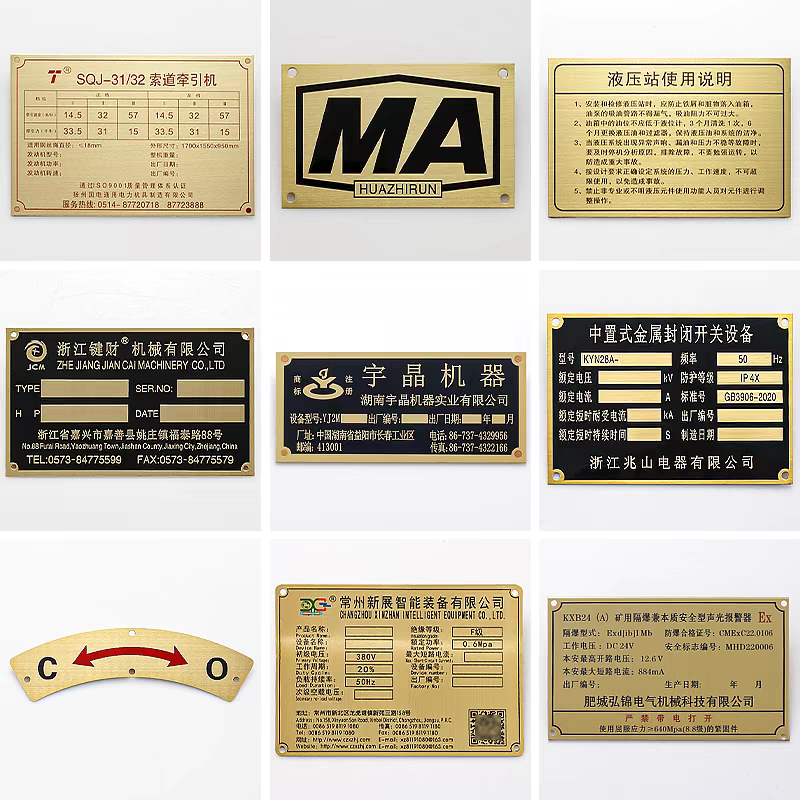
4. Metal Asset Tags:
For high-value tools, industrial machinery, or assets exposed to harsh conditions, metal asset tags are essential. They are durable, tamper-resistant, and can withstand extreme temperatures, chemicals, and abrasion.
5. Sequential Number Tags:
Simple, pre-printed tags with unique numbers. They are used for manual tracking or in systems where a visual check is sufficient. They are a basic form of inventory identification but lack the automation of barcodes or RFID.
Key Features to Look For
When selecting inventory control tags, consider these features:
- Durability: Will the tags face moisture, oils, UV exposure, or extreme temperatures? Polyester, vinyl, or anodized aluminum labels offer strong resistance.
- Adhesive: The glue on the back must be suited to the surface (plastic, metal, wood, fabric). For porous or dusty surfaces, a stronger adhesive is crucial.
- Print Quality: The barcode, text, or QR code must be crisp and highly scannable. Faded or smudged prints defeat the purpose.
- Customization: Can the tags be printed with your company logo, specific data fields, or sequential numbering? A tailored design improves professionalism and functionality.
- Size and Readability: The tag must fit the asset but still be large enough for its data to be easily seen or scanned.
How to Implement Inventory Control Tags Successfully
A successful inventory tracking system relies on proper tag implementation. Follow these steps:
1. Plan Your Data Structure.
Before ordering tags, decide what information each unique ID will link to in your system (e.g., item name, purchase date, location, cost, supplier). Consistent data is key.
2. Choose the Right Tag for the Job.
Match the tag type and material to the asset and its environment. Don't use a paper label on a greasy machine tool.
3. Clean and Prepare Surfaces.
Ensure the area where the tag will be applied is clean, dry, and free of dust or grease. This guarantees the adhesive bonds properly for long-term asset management.
4. Apply Tags Consistently.
Place tags in a consistent, visible location on similar items. This speeds up future scanning and audits dramatically.
5. Integrate with Your Software.
The true power of inventory control tags is unlocked when scanned data flows into your inventory management software. Ensure your scanners or mobile devices are compatible with your system.
The Tangible Benefits of Using Tags
Implementing a robust system with inventory control tags delivers clear returns:
- Skyrocketing Accuracy: Eliminate human data entry errors. Cycle counts become fast and reliable, giving you confidence in your stock levels.
- Massive Time Savings: Scanning a barcode is infinitely faster than manually writing down or typing a serial number. This efficiency impacts receiving, picking, and auditing processes.
- Improved Loss Prevention: Knowing exactly what you have and where it is acts as a powerful deterrent to theft and misplacement.
- Informed Decision-Making: Accurate, real-time data allows for better forecasting, purchasing, and stock control, reducing both overstock and stockouts.
- Enhanced Maintenance Tracking: For equipment, tags can link to maintenance schedules, ensuring timely servicing and extending asset life.
Common Mistakes to Avoid
- Using Low-Quality Tags: Tags that fade, peel, or become unreadable waste time and money. Invest in quality suitable for the environment.
- Inconsistent Placement: If tags are placed randomly, staff waste time searching for them during scans.
- Skipping the Pilot Test: Before a full rollout, test your chosen inventory tags and scanners in real-world conditions.
- Neglecting Training: Ensure all team members know how to properly scan, handle, and apply the inventory control tags.
Inventory control tags are far from a minor detail. They are a strategic investment in operational clarity and efficiency. By bridging the physical and digital worlds, they provide the data foundation needed for smarter decisions, reduced costs, and smoother daily workflows.
Whether you choose simple barcode labels or advanced RFID tags, the act of properly identifying your assets is the first and most critical step toward true inventory control. Start by assessing your toughest tracking challenge, and let the right tag provide the solution.
Frequently Asked Questions (FAQ)
Q1: What is the most durable type of inventory control tag for outdoor use?
A1: For outdoor or harsh industrial environments, anodized aluminum or polyester inventory control tags with a permanent adhesive and UV-protective laminate are the most durable. They resist weather, chemicals, abrasion, and temperature extremes far better than paper or vinyl labels.
Q2: Can I print my own inventory tags, or should I order them pre-printed?
A2: You can do both. For on-demand, low-volume, or variable data needs, an industrial label printer is excellent. For large volumes, standardized formats, or requiring special materials/metal, ordering custom pre-printed inventory tags from a professional manufacturer is often more cost-effective and durable.
Q3: How do inventory control tags work with my existing software?
A3: The inventory control tags themselves hold only a unique identifier (like a number or barcode). This identifier is linked to a detailed record in your inventory management software. When you scan the tag, the software pulls up that record. Compatibility depends on your scanner and software being able to communicate, which is standard with most modern systems.
Q4: What's the main difference between barcode and RFID inventory tags in practice?
A4: The key practical difference is the scanning method. Barcodes require a direct, unobstructed line of sight and are scanned one at a time. RFID tags can be read through materials, at a distance, and dozens at once in seconds. RFID offers faster bulk scanning but at a higher cost per tag and for the required reader hardware.
Q5: How often should I audit my inventory after implementing a tagging system?
A5: With an accurate barcode inventory system, cycle counting (counting a small subset of inventory daily or weekly) becomes very efficient. The frequency of full audits can often be reduced. A common practice is to conduct smaller, continuous cycle counts based on item value or turnover, leading to a consistently accurate count without major disruptive full warehouse audits.